About the course
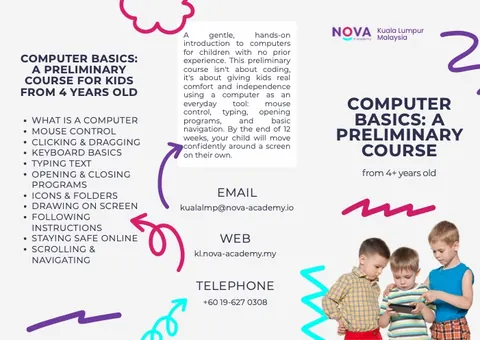
A first course in using a computer: the mouse, the keyboard and the screen. There is no coding. Children learn to control the mouse, type letters and short words, stay safe online and complete simple tasks on their own.
The only course with no coding at all — just the skills every other course assumes.
- Mouse & Keyboard
- Typing
- Online Safety
- Digital Confidence
- Groups of up to 12The teacher reviews every student's work
- 1 hourper lesson
- No experience requiredNo computer experience is needed
- Missed a lesson?A replacement class is provided
What your child will build
Confident mouse & keyboard control
Clicking, dragging and typing without hesitation
A simple on-screen drawing
Their first project made entirely by themselves
Safe browsing habits
Simple, age-appropriate rules for staying safe online
Curriculum
- 1
Classes 1–6 — Getting comfortable
Holding and moving the mouse. Clicking, double-clicking and dragging. Opening and closing programs. Recognising icons, files and folders.
- 2
Classes 7–12 — Building independence
The keyboard: letters, numbers and the space bar. Typing letters and short words. Drawing on screen with a simple program. Saving and opening your own work.
- 3
Classes 13–18 — Confidence & safety
Following multi-step instructions without help. Scrolling and moving between pages. Staying safe online: passwords, personal information and asking a trusted adult. A final task completed independently.
Where it fits
Before
No prior experience needed
For children from age 4 who have not yet used a computer on their own.
NOVA
Computer Basics for Kids
18 classes
After
Junior Computer Academy (6–9) or Game Development
Once a child is comfortable with the mouse and keyboard, the next step is Junior Computer Academy 6-9 or the Game Development Program.
Questions about this course
Is this a coding course?
No. This course covers computer skills only. Coding starts in Junior Computer Academy.
My child already uses a tablet — do they still need this?
Tablet use does not transfer directly to the mouse and keyboard, which this course and later courses rely on. This course teaches both.
How long is the course?
Eighteen classes of one hour, in three modules of six classes.
How is the course priced?
RM 420 per month.
Is there a trial class?
Yes. You can book a free trial class before enrolling.
Book a free trial class
Leave your details — our administrator will contact you to find a convenient time.
Computer Basics for Kids
Ages 4+ · 18 classes · RM 420 / month
Request received!
Thank you! We'll message you on WhatsApp within 1 hour during opening hours to confirm a trial class time.
Chat on WhatsApp now